A better way to remove duplicate Objects from Array in Javascript
Understanding your tools to get the maximum efficiency.

Figuring out glue to stick lego pieces that don't like each other much :p
Have you ever been in a scenario, where you had an array that contained some complex data(for the sake of our discussion, consider Javascript Object) and you wanted to remove all duplicate entries from that Array.
Well that is relatively easy
const arr = [1, 2, 4, 5, 6, 5, 4, 6, 6, 6, 3];
function removeDuplicates(arr) {
  const result = [];
  arr.forEach(elem => {
    if(!result.includes(elem)) result.push(elem);
  });
  return result;
}
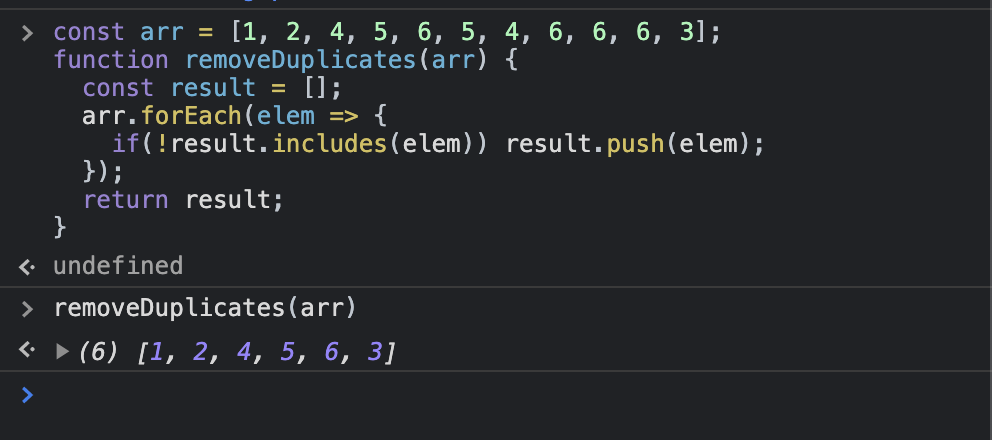
This is great, we have solved our problem. And if you know your language slightly better, you can further simplify the process by using Set.
const result = new Set(arr);
This will give the same result as the algorithm above, with some added benefits that come with Sets(constant lookup time for elements in set being one).
Both these solutions work great with primitive data, but in case of non primitive data, both the above algorithms seems to fail, let's look at why ?
Looking at the code sample below, what do you think will be the output of the last line.
let people = [{name: 'Mike', age: 20}, {name: 'Mike', age: 20}];
console.log(people[0] === people[1]);
The answer is false(I know, you knew but still :p).
This is because Objects in JavaScript are reference types, meaning when you compare two objects instead of comparing Object schema (a.k.a keys), references are compared. And since we are creating new objects, we get different references each time, and thus the answer is false.
Let's try to write a new algorithm for removing objects from array.
function removeDuplicates(arr) {

    const result = [];
    const duplicatesIndices = [];

    // Loop through each item in the original array
    arr.forEach((current, index) => {

        if (duplicatesIndices.includes(index)) return;

        result.push(current);

        // Loop through each other item on array after the current one
        for (let comparisonIndex = index + 1; comparisonIndex < arr.length; comparisonIndex++) {

            const comparison = arr[comparisonIndex];
            const currentKeys = Object.keys(current);
            const comparisonKeys = Object.keys(comparison);

            // Check number of keys in objects
            if (currentKeys.length !== comparisonKeys.length) continue;

            // Check key names
            const currentKeysString = currentKeys.sort().join("").toLowerCase();
            const comparisonKeysString = comparisonKeys.sort().join("").toLowerCase();
            if (currentKeysString !== comparisonKeysString) continue;

            // Check values
            let valuesEqual = true;
            for (let i = 0; i < currentKeys.length; i++) {
                const key = currentKeys[i];
                if ( current[key] !== comparison[key] ) {
                    valuesEqual = false;
                    break;
                }
            }
            if (valuesEqual) duplicatesIndices.push(comparisonIndex);

        } // end for loop

    }); // end arr.forEach()

    return result;
}
Basically what we are doing here is using two nested loops to check each element with all the remaining elements in the array, matching keys of objects, adding all future indexes of the same object in duplicateIndexes and push current elem to result.
let arr = [
  {
    firstName: "Jon",
    lastName: "Doe"
  },
  {
    firstName: "example",
    lastName: "example"
  },
  {
    firstName: "Jon",
    lastName: "Doe"
  }
];

removeDuplicates(arr);
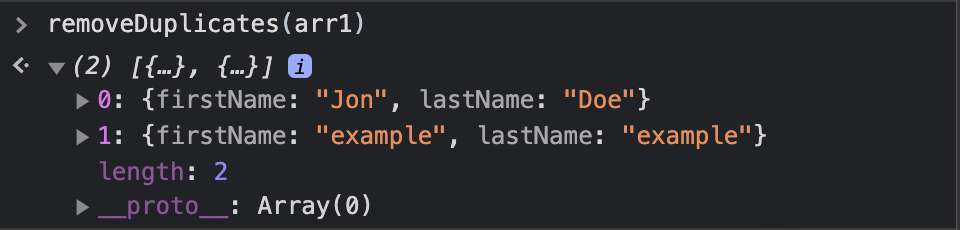
We get the correct result, so the algorithm works perfectly fine, but compared to the previous implementation, this one is significantly slower.
But I think we can do better, let's look at how.
The problem in our original algorithm is, we can't compare Objects like we can compare Numbers and Strings, but what if we could ?
Well here is my little trick for that,
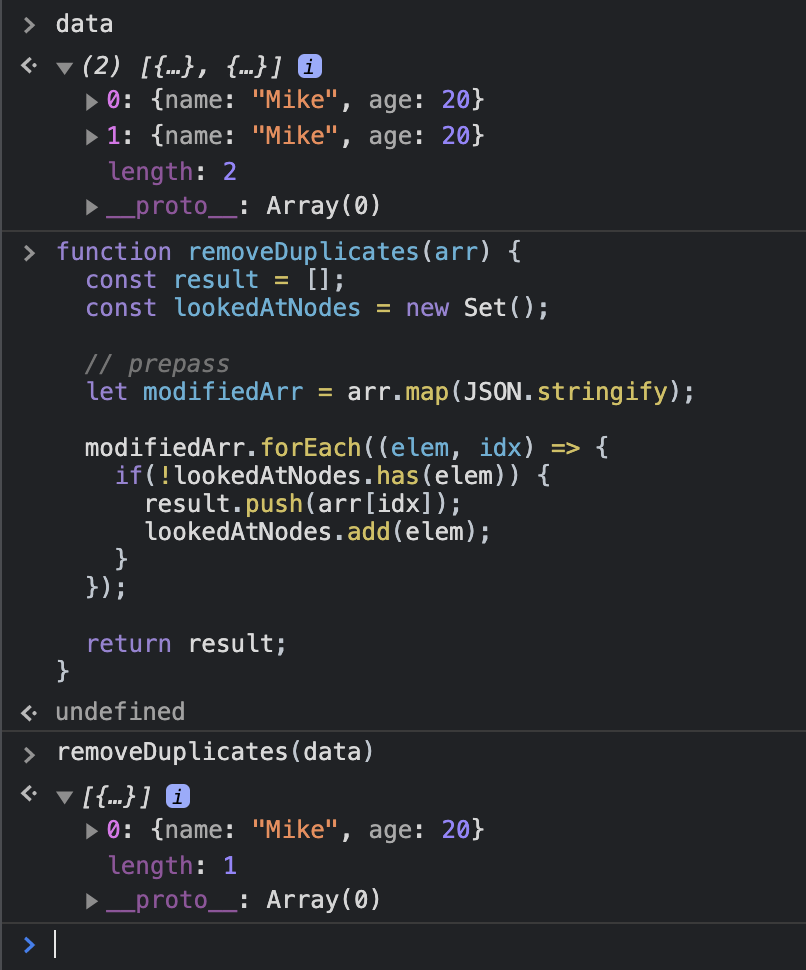
function removeDuplicates(arr) {
  const result = [];
  const lookedAtNodes = new Set();

  // prepass
  let modifiedArr = arr.map(JSON.stringify);

  modifiedArr.forEach((elem, idx) => {
    if(!lookedAtNodes.has(elem)) {
      result.push(arr[idx]);
      lookedAtNodes.add(elem);
    }
  });

  return result;
}
What we are doing here, is trading space to make a faster algorithm, by creating a few intermediate data structures. We create an array to store the JSON.stringifyed string version of objects, a set to store the strings that we have looked at, till at any given point in the functions execution cycle and finally the results array, which we will return at the end as the final result.
Benchmarks
I did some tests and it turns out this solution is pretty scaleable. Below are some of the results I found.
- For 100 elements or so, it takes about 5.5ms where as the nested loop approach takes 2.2ms.
- For 500 elements or so, it takes 5.7ms whereas the nested loop approach takes 11.7ms.
- For 1500 elements or so, it takes 3.886ms whereas the nested loop approach takes 32.82ms.
- For 8000 elements or so, it takes 5.57ms whereas the nested loop approach takes 60.71ms.
And after that I was obviously bored, so If someone finds this useful and does some testing on a bigger and may be more real world data, I would love to know stats.
If you want to talk more about the implementation or anything else, you can find me on Instagram or Twitter as @vipulbhj
Thank you so much for reading, don’t forget to share If you find the information useful.